
Auracast™ Audio Broadcast at the Airport
Back at Gate A16 at Frankfurt Airport. An Auracast™ pilot project had already been conducted there in early 2026. At Gates A16 and A17 in Terminal 1, travelers were able to receive public announcements via Auracast™ as well. The project was implemented by Fraport in collaboration with Sittig Technologies and the Frankfurt University of Applied Sciences. The trial was initially scheduled to last two months and was intended to gather feedback from travelers and employees on the use of the technology.
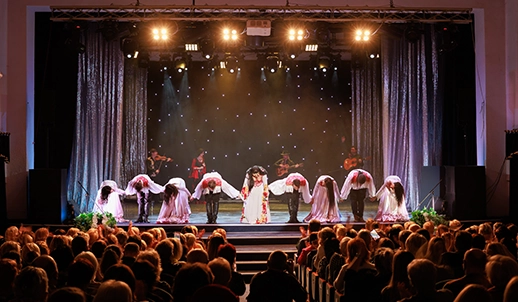
This example demonstrates how Auracast™ is already being used in everyday life. The technology transmits audio signals via Bluetooth LE Audio as a separate audio channel. To do this, an audio source is connected to an Auracast™ transmitter. Compatible receiving devices can detect and select the broadcast channel. The technology isn’t limited to airports. A theater can broadcast its stage audio, a museum can transmit a docent’s voice, and a church can broadcast the pastor’s microphone feed. In Germany, several movie theaters are already equipped with Auracast™, such as the Camera Zwo in Saarbrücken and the Scala Programmkino in Lüneburg. In the United Kingdom, a major movie theater chain has already equipped 150 and 200 auditoriums across 18 theaters with Auracast™.
The advantage: The sound reaches the receiver directly. It does not have to travel through the entire room before reaching the listener’s ear. As a result, distance, reverberation, and ambient noise have less of an impact on intelligibility. Auracast™ thus enables an additional audio transmission without requiring the replacement of a building’s entire sound system. Public facilities can often expand their existing technology and provide the sound as a separate audio channel. For a single audio source and a manageable area, a single transmitter may suffice. Larger rooms, multiple floors, or different audio sources, on the other hand, may require additional transmitters. The key factors are the spatial conditions and the desired wireless coverage.
How Auracast™ Works in Everyday Life
In everyday use, Auracast™ works much like selecting a Wi-Fi network. A transmitter provides an audio channel. Compatible receivers can detect and select this channel when within range. A smartphone usually helps with the selection. The available channels appear on the display. You select the appropriate audio source and listen to it directly through your hearing aids or headphones. However, this requires that the smartphone supports the relevant Auracast™ features. Not every Bluetooth-enabled smartphone can automatically be used as an Auracast™ assistant.
For public broadcasts, the audio channel may be openly accessible. For protected broadcasts, an access code can be set up depending on the system. QR codes can also make selection easier.
Here's how to connect, step by step
Step 1: Prepare
Your Hearing Aids and ReceiverFirst, check whether your hearing aids support Auracast™. You must also have the required software installed, and the feature must be enabled if necessary. Also, make sure your smartphone or other device allows you to select Auracast™ channels.
Step 2: Open
the app or Bluetooth menuOpen the corresponding feature on your smartphone, in your hearing aid manufacturer’s app, or on another supported device. The exact steps vary by manufacturer.
Step 3: Search
for available channelsStart the search. After a few seconds, your smartphone will display the Auracast™ transmitters within range. This could be the channel at the gate, in the auditorium, or at the ticket counter.
Step 4: Select
the appropriate audio sourceTap the desired channel. For secured transmissions, enter a code or scan a QR code displayed at the entrance, at your seat, or on a screen.
Step 5: Adjust
the volumeControl the volume using your hearing aids or the app. Some hearing aids can play both the broadcast and ambient sounds simultaneously. This allows you to hear, for example, the announcement while still hearing the person next to you.
Step 6: Use
a rental deviceIf your hearing aids do not yet support Auracast™, a rental device from the venue can help. A compatible Auracast™ receiver with a neck loop also allows people with older hearing aids and built-in telecoil to receive the broadcast. The neck loop converts the received signal into a magnetic field that the hearing aid’s T-coil can pick up. This requires that the loaner device be equipped accordingly and that the hearing aid’s T-coil can be activated.

Auracast™ in Three Roles
The transmitter sends the sound into the room.
This could be an existing sound system in a theater, a public address system at a gate, a television, or a microphone used during a guided tour. The transmitter is connected to the audio source and transmits the sound via Bluetooth LE Audio.
The receiver delivers the sound to your ear.
Your hearing aids, headphones, earbuds, or a rental device pick up the signal. This way, you can hear, for example, the announcement, the sound from the stage, or the voice at the ticket counter directly through your chosen device.
The assistant helps you make your selection.
In most cases, your smartphone handles this task. An app or the Bluetooth menu displays available Auracast™ channels, such as “Gate A16” or “German Stage.” You select the appropriate channel and start the transmission. Not every smartphone supports this feature.

Custom Soundtracks for Public Spaces
For people with hearing loss, the major advantage of Auracast™ is that sound is transmitted directly to the receiver. This can improve speech understanding in public spaces. At train stations or airports, you can hear announcements directly through your hearing aids. Gate changes, boarding calls, or platform changes are less likely to go unnoticed.
At the theater ormovie theater, the sound from the stage comes through clearly. Your seat becomes less important, since the signal is less dependent on the room’s acoustics. Different audio tracks—for example, in various languages or with audio description—are also possible. This requires that the event organizer provide and transmit these audio tracks separately.
In churches, the voice from the microphone reaches the hearing aids. This can be especially helpful in high-ceilinged rooms with a lot of reverberation, making it easier to follow sermons, speeches, or personal remarks.
In a museum, a guided tour can play as a separate audio track. The guide wears a microphone connected to the Auracast™ transmitter. All participants can receive the audio through their compatible devices, even if they are standing further back.
Only in environments like cafés or restaurants do you need to consider Auracast™ differently. For private conversations at a table, additional equipment such as a table microphone is still required. Auracast™ is more useful in these settings for TVs in sports bars, order announcements, or individually adjustable background music.
What You Might Choose in the Future
- The narrator's language on your preferred audio track
- Audio description for events, movies, or guided tours
- Announcements at the airport gate or the train platform at the station
- The audio track from a monitor, such as news updates at the gate
- The voice of a tour guide at a museum
- The audio from a presentation at a trade show
- A personalized TV audio track at home with adjustable volume
What to Consider When Buying Your Next Hearing Aid
Today, when choosing new hearing aids, people are considering much more than just design, sound quality, and comfort. Auracast™ adds a feature that will become increasingly important in public spaces in the coming years.
An important milestone was reached on October 22, 2026: All five major hearing aid manufacturers now offer hearing aids that support Auracast™. These include Sonova, Demant, GN, WS Audiology, and Starkey. Together, these companies account for approximately 90 percent of the global hearing aid market. The technology is now available in the latest generations of hearing aids. For some devices, the feature must be enabled via a software or firmware update. Older hearing aids without the necessary hardware cannot be made Auracast™-compatible simply through an update. iPhones cannot yet receive or transmit Auracast™ on their own. However, an iPhone can serve as a remote control for Auracast: Using a compatible app, compatible hearing aids or earbuds can be connected to an Auracast transmission. The hearing aids then receive the audio directly from the transmitter; it does not pass through the iPhone. Support depends on the app and the hearing aid. In contrast, many Android smartphones already support Auracast—but not all of them. The specific model and software version are decisive factors.
Questions for your hearing care professional:
- Ask specifically about Auracast™
- Test Auracast™ with your own smartphone or the hearing aid support app—have the hearing care professional show you how it works
While people with older hearing aids still rely on existing technical options today, Auracast™ is already opening up a new way of hearing. The technology is expected to gradually complement and increasingly replace the telecoil in public spaces. However, a complete replacement is not expected in the short term. Until then, both systems must coexist so that people with older hearing aids continue to have access to barrier-free audio transmission.
Auracast™ shows where accessible hearing can go. At the same time, good hearing still begins with professional care.
So take advantage of our free hearing aid specialist and ENT doctor search tool to find professionals near you. This way, you can have your hearing tested, learn more about modern hearing aids, and be well-prepared for a future in which public spaces become more audible.
See how good hearing works

Tips & Tricks for People with Hearing Loss — Episode 2: All the Things a T-Coil Can Do

Tips & Tricks for People with Hearing Loss — Episode 5: Subtitles for All Movies